
We build inventory systems inside monday.com that track stock down to the component, deduct it automatically, flag low stock, and reorder from your suppliers on their own. Built by an Authorized monday.com Partner.
Manual inventory is a slow leak. Someone counts stock in a spreadsheet, forgets to update it, and production halts waiting on a component that ran out days ago or you over-order and tie up cash in shelves full of stock you don’t need. monday.com fixes this by making stock live: it deducts automatically as you fulfil orders, warns you before you run low, and reorders from your supplier without anyone having to remember.
Surprise stockouts. Production stops because a component quietly ran out and no one noticed.
Manual counting. Hours lost every week counting and updating stock by hand.
Slow reordering. Someone has to spot the shortage, write the order, and email the supplier.
Cash tied up. Over-ordering “just in case” locks money into stock you don’t need yet.
Here’s how stock moves through a monday.com inventory system we build. Every step runs on its own.
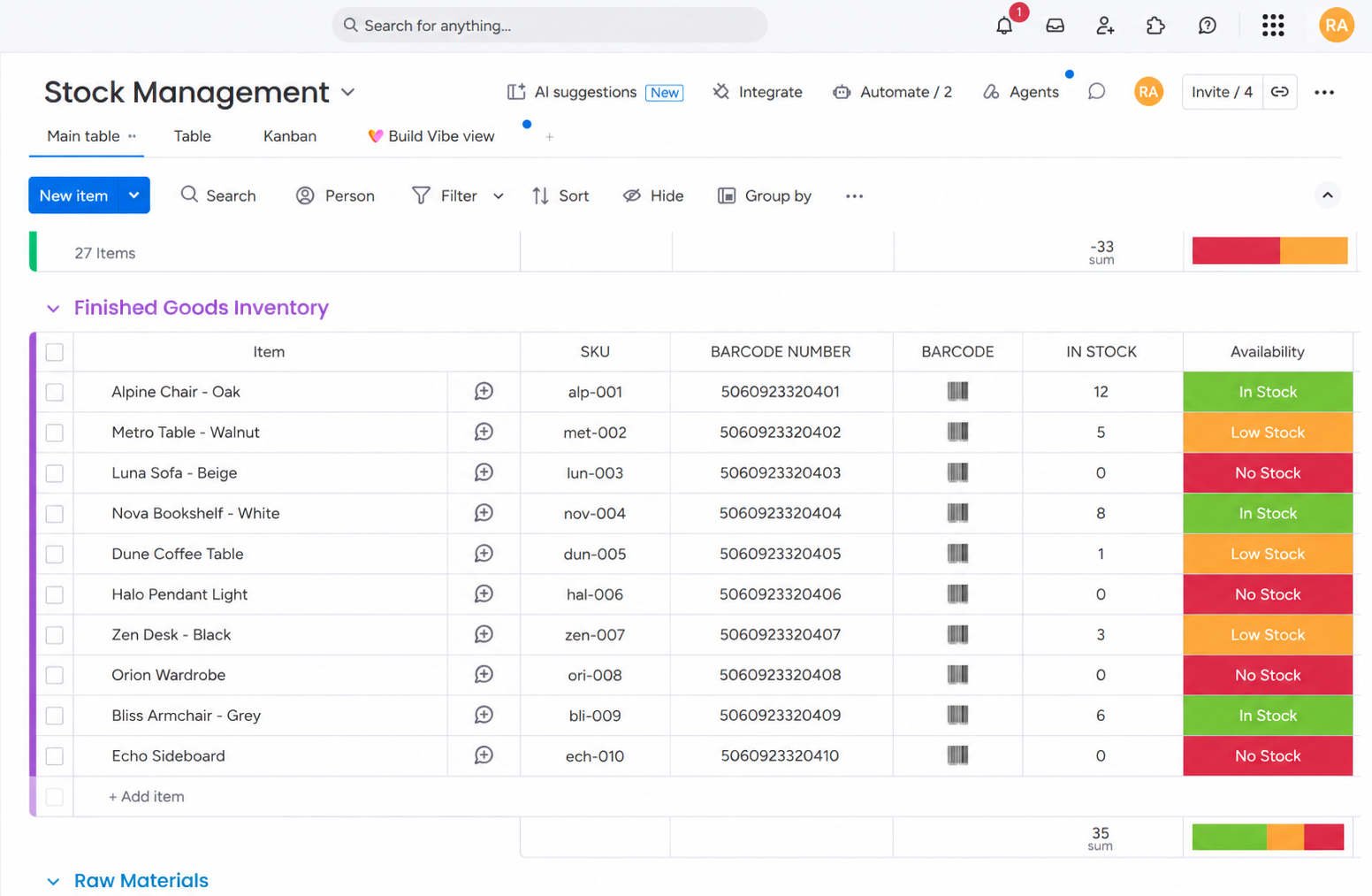
When an order is placed, the system knows exactly which components that product uses because each product is set up as a group on the stock board, with its component list underneath.
Every component used in that product is deducted from stock by the exact quantity used no manual updating, so your numbers are always live and accurate.
When a component hits its threshold, its status changes to Low Stock and the inventory manager is notified instantly so shortages are caught before they stop production.
The system generates a purchase document and adds it to the Order Stock board with product name, code and quantity set to In review so your team can quickly check it before it goes out.
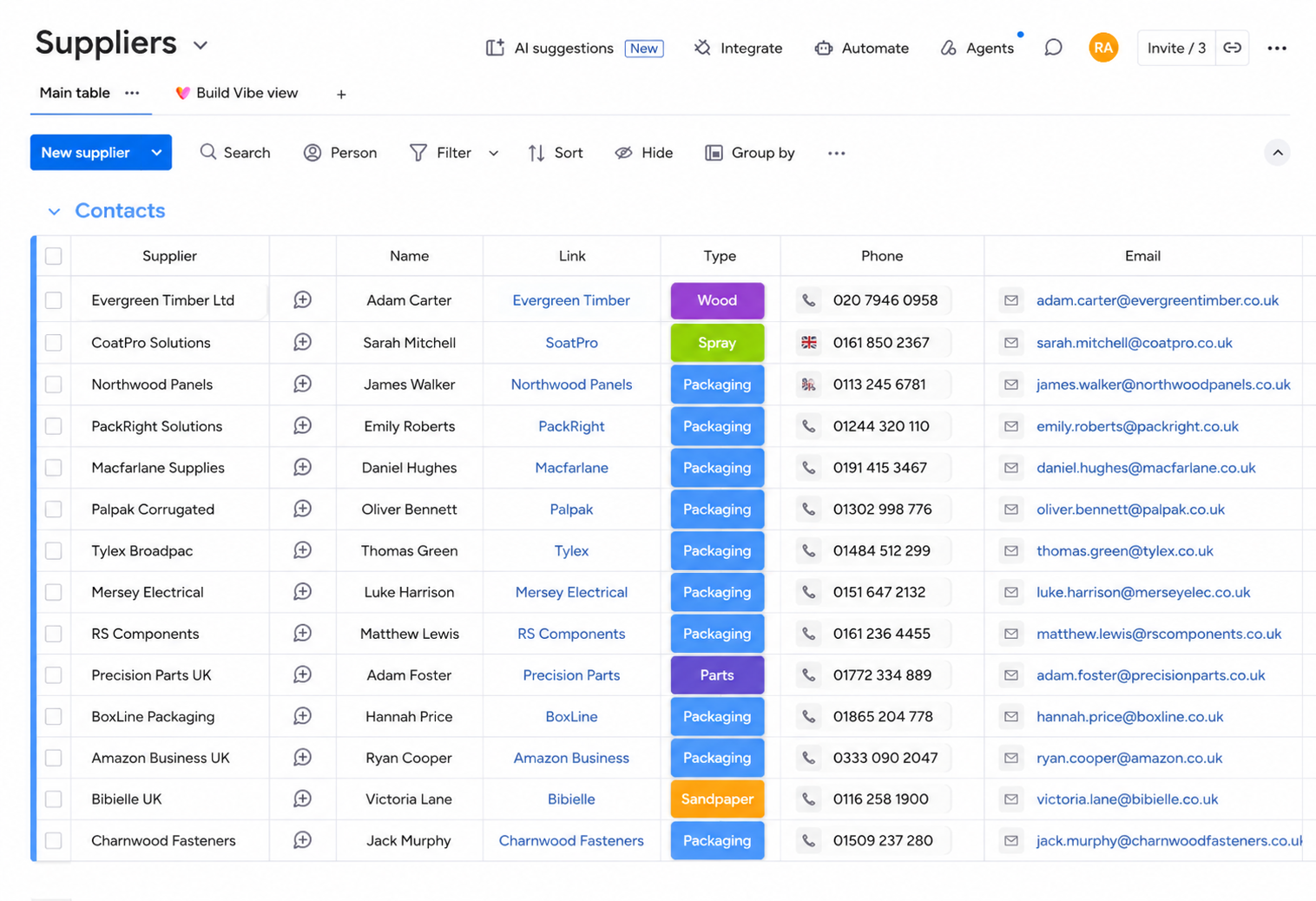
Change the status to Send order and it’s emailed automatically to the right supplier pulled from a linked supplier board that stores which supplier provides each component.
The system integrates with a barcode setup scanning a product automatically deducts or adds stock and updates the monday.com board in real time, so physical and digital counts always match.
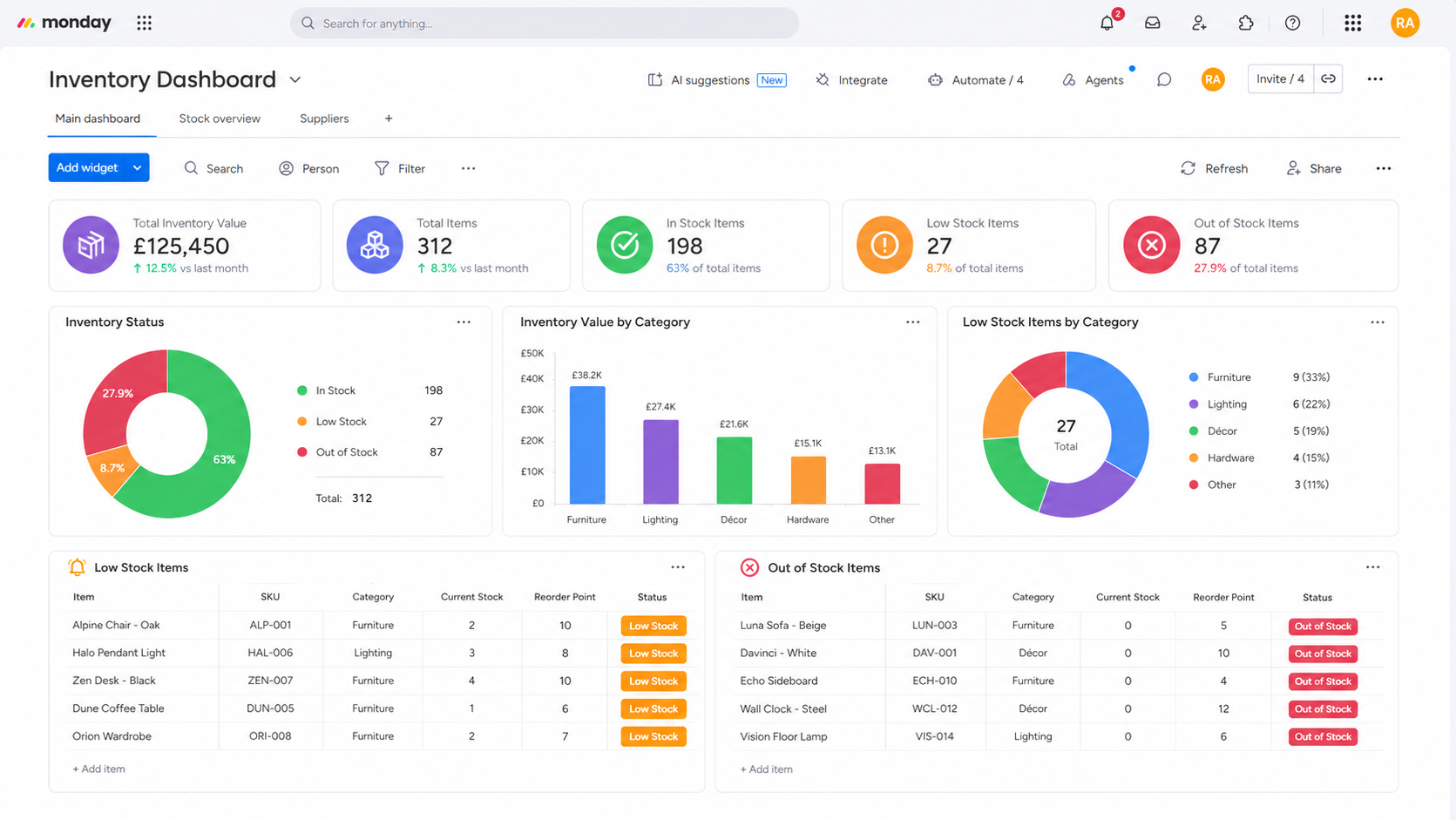
A live dashboard shows component inventory levels, everything currently low on stock, and the status of every reorder so you always know where you stand at a glance.
Everything you need to run stock hands-off built around your real products and suppliers.
Each product broken into the components it uses, so you track stock at the level that actually matters not just finished goods.
Stock deducts itself as orders are fulfilled your numbers stay live and accurate with zero manual updating.
Threshold-based Low Stock status changes that notify your inventory manager the moment a component runs low.
Purchase documents generated automatically and emailed to the correct supplier once approved from a linked supplier board.
Scan to add or deduct stock and update monday.com in real time physical counts and your board always match.
Component stock levels, low-stock items and reorder statuses the whole picture, updated in real time.
Client: a UK manufacturer of made-to-order electric fireplaces and media walls (name withheld for privacy). This inventory system is part of the wider production platform we built for them so stock and manufacturing run as one connected system.
We created a Stock Management board where every product is a group, and each group holds the components that product uses. When an order lands, the system deducts each component by the amount used automatically.
When a component hits its threshold, its status flips to Low Stock, the inventory manager is notified, and a reorder is created: a purchase document is generated (via Google Docs) and added to the Order Stock board with product, code and quantity, marked “In review.” Once the team approves it, it’s emailed straight to the right supplier from a linked supplier board.
The whole thing is tied to a barcode system scanning adds or deducts stock and updates monday.com live and a dashboard shows inventory, low stock and order statuses at a glance.
Before, everything was manual counting, spotting shortages, writing orders, emailing suppliers. Now it runs itself, and the team spends their time building, not chasing stock.
Figures are the client’s own reported results from this build. Your results will depend on your products, volumes and process.
Yes monday.com can run a full inventory system when it’s set up correctly. It replaces spreadsheets and manual counts with live stock that deducts itself, warns you before you run low, and reorders on its own. It’s not a heavyweight warehouse management system for complex logistics but for most small and mid-sized businesses, it’s exactly the automated stock control they’re missing. Here’s where it fits.
The questions businesses ask most about running stock on monday.com. Still unsure? Book a free consultation.
Book a free consultation with an Authorized monday.com Partner. We’ll map your stock, suppliers and reorder points, and show you exactly how monday.com could run it hands-off.